Bixlow
STEP-BY-STEP GUIDE

From idea to result: a complete A/B test, step by step

We follow one use case on Bixlee, a demo drinks store, from start to finish: we write the hypothesis, define who it is for, decide what counts as success, build the variant, launch the test and read the verdict. With real screenshots of every screen.

This guide shows the full cycle of an experiment in Bixlow: a documented hypothesis, an audience, a conversion goal, a variant built on the live site, an A/B test split in the browser and a Bayesian verdict that says when the result can be trusted.

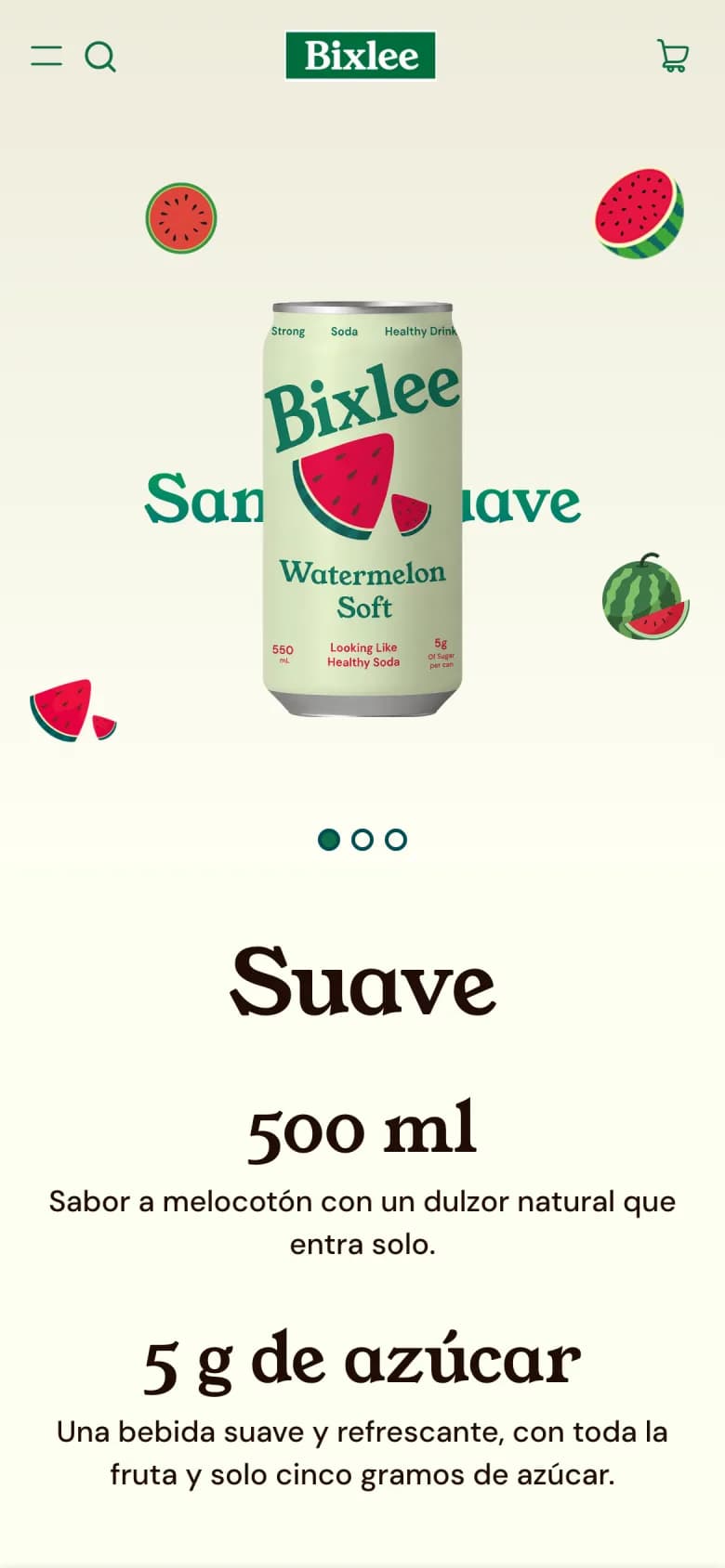
Original
Bixlee home page on a phone, opening with the watermelon carousel.
Variant B
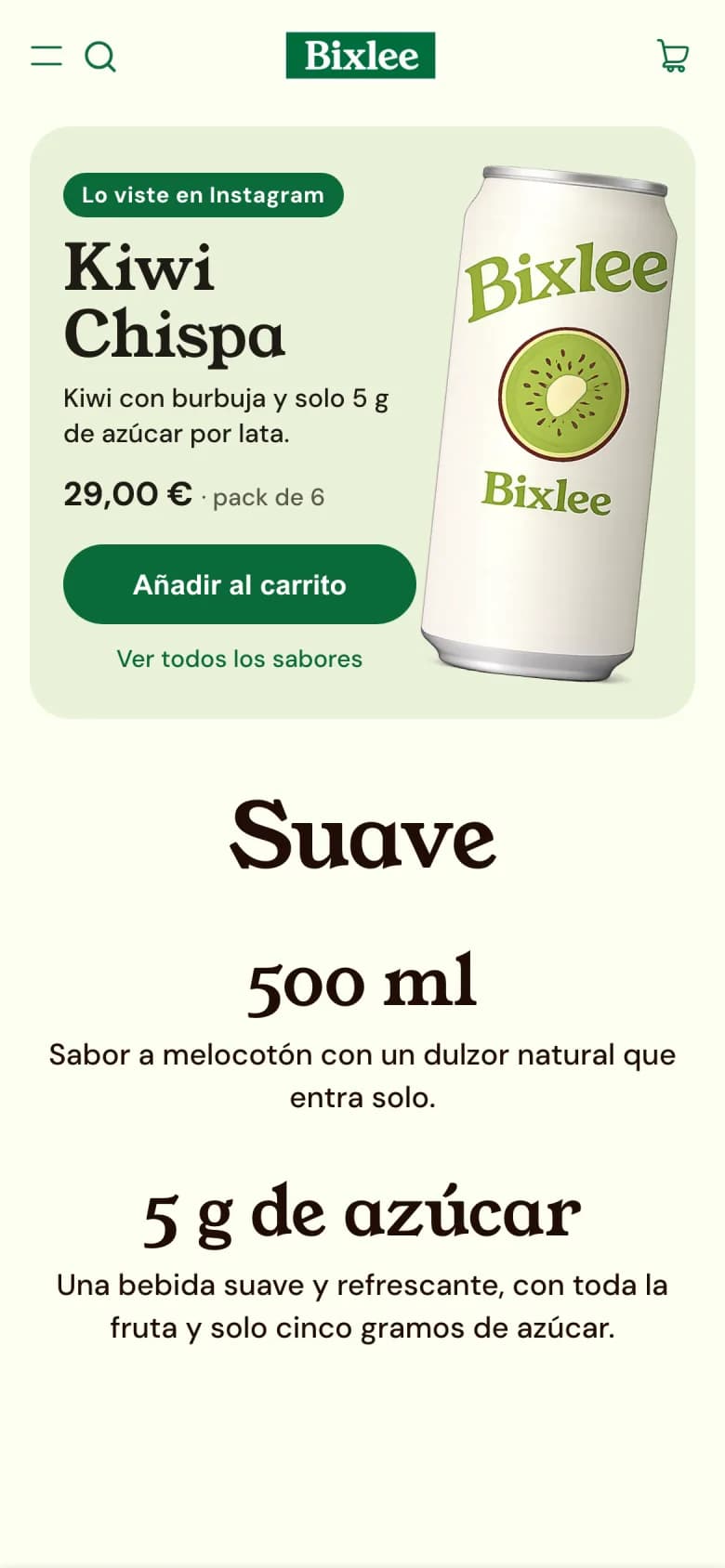
Bixlee home page on a phone with a block on top: “Lo viste en Instagram”, Kiwi Chispa, €29.00, an “Añadir al carrito” button.
Store
Bixlee, a demo on a Shopify theme
Change
The home page carries on the ad
Audience
Instagram on mobile
Measured
Visitors who add to cart

Bixlee is a demo store (in Spanish) and the traffic in step 6 is simulated: it shows how a result is read, it is not a customer's data.

THE CASE

Visitors who click an ad for one flavour land on a home page about another

Bixlee runs a different flavour in every Instagram ad. Every click ends up on the same home page, which opens with a watermelon carousel. The flavour that brought the visitor is several blocks further down, and on a phone hardly anyone scrolls that far.

What the theme editor doesn't solve

  • It shows everyone the same home page: it can't tell which ad each visitor came from.
  • Giving every ad its own follow-through means one page per ad, created and maintained by hand.
  • And knowing whether the change works takes splitting traffic between two versions, plus someone to say when the difference is real.
What we build with Bixlow

  • One piece that reads the flavour from the ad link (utm_content) and puts it on top.
  • Only for visitors arriving from Instagram on a phone; everyone else sees the usual home page.
  • Measured as an A/B test against the current home page, with a verdict that doesn't rely on eyeballing numbers.
STEP 01

Write the hypothesis before you touch the site

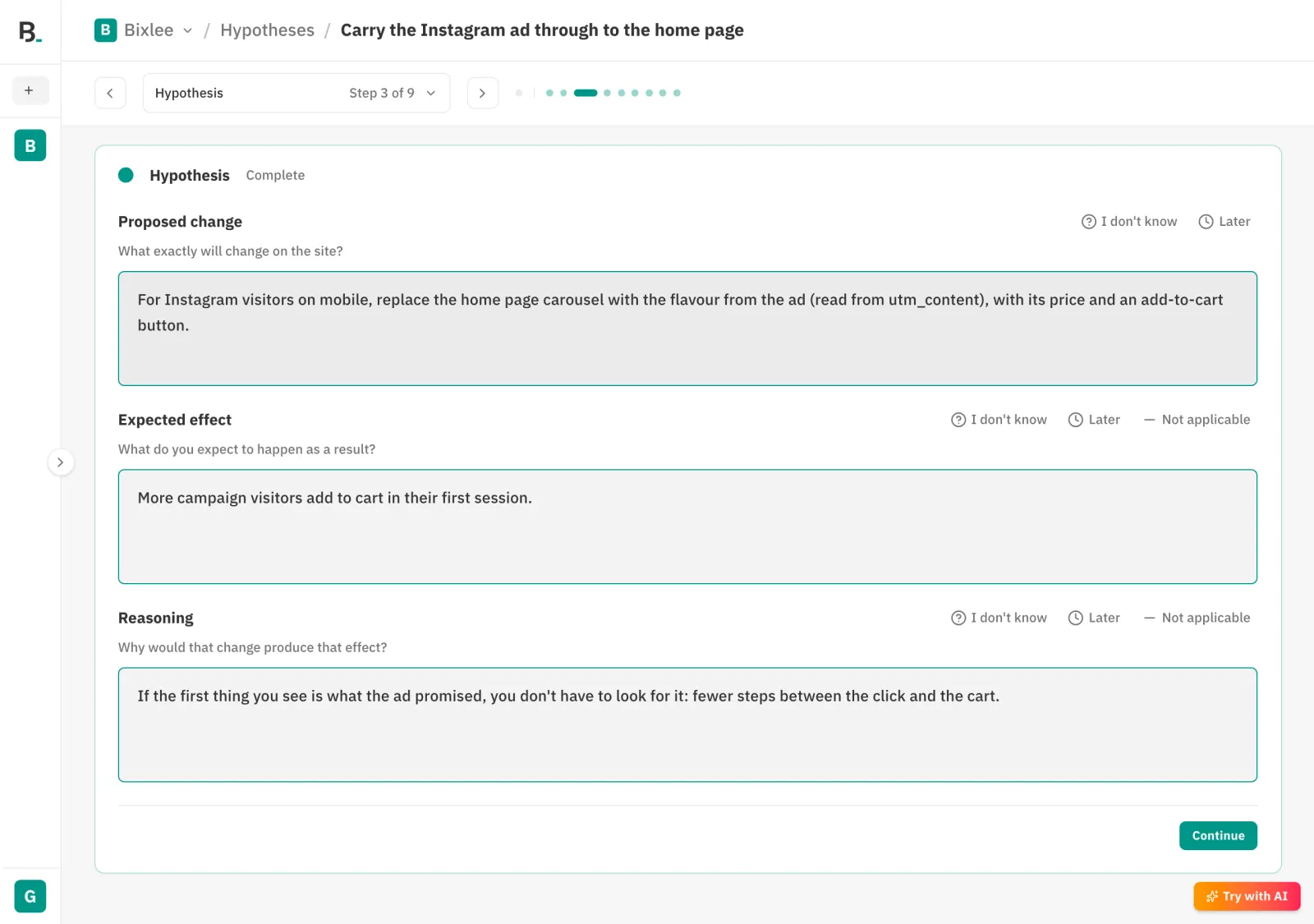
In Hypotheses we create “Carry the Instagram ad through to the home page” and complete it section by section: the problem, the change, the effect we expect and why, who it affects, how we'll measure it and what we need. Each section is one screen, and questions you can't answer are marked “I don't know” or “Later” instead of being made up.

  • Change: replace the carousel with the flavour from the ad, with its price and an add-to-cart button.
  • Expected effect: more campaign visitors add to cart in their first session.
  • Measure: visitors who click “Add to cart” over those who saw the home page.
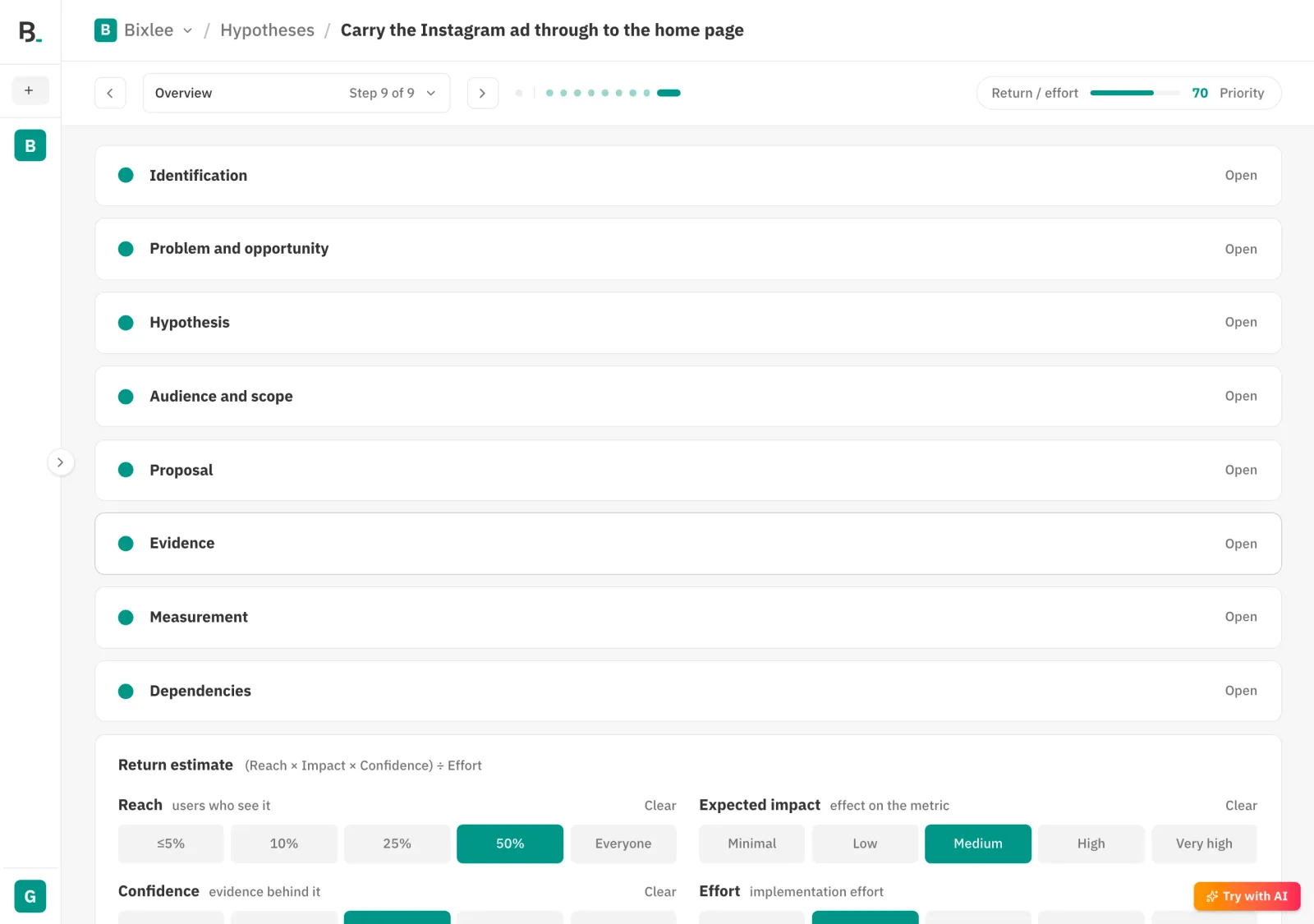
  • The overview ranks the idea by reach, impact, confidence and effort.
Hypothesis brief, Hypothesis section: proposed change, expected effect and reasoning.
The brief's “Hypothesis” section, step 3 of 9.
Brief overview with every section complete and the return estimate.
The overview: sections complete and priority worked out.
STEP 02

Define who it is for

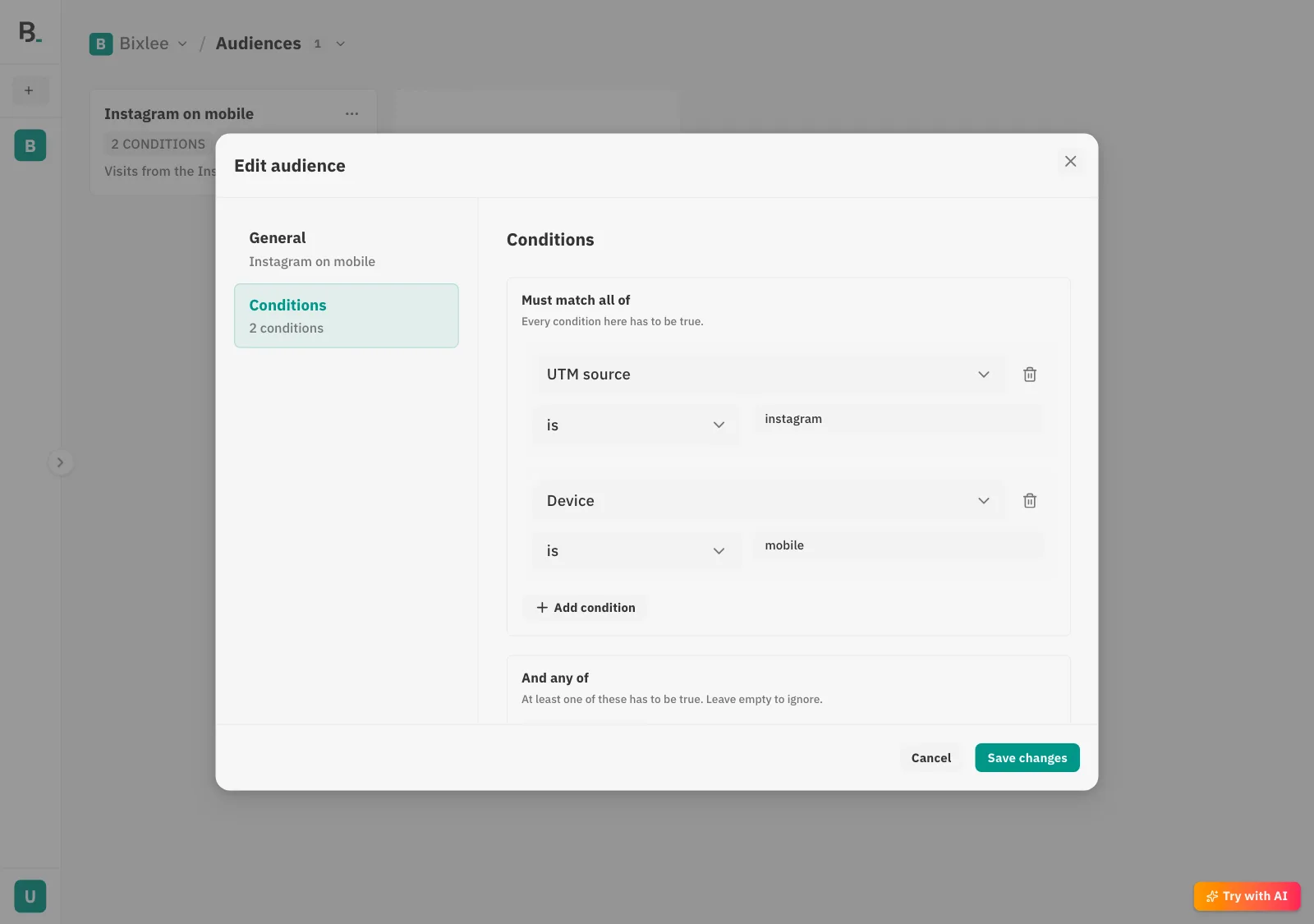
In Audiences we create “Instagram on mobile” with two conditions that must both hold: the UTM source is instagram and the device is mobile. An audience is a named rule you reuse: the same one serves this test and any personalization later on.

  • Conditions are evaluated in the visitor's browser, from the URL, the device, the language, the country and whether it is their first visit.
  • UTM values are kept for the session, so the rule still holds when the visitor moves to another page.
  • Visitors who don't match never enter the test and don't count in its results.
“Instagram on mobile” audience dialog, Conditions section: UTM source is instagram and Device is mobile.
Two conditions that must both hold.
STEP 03

Decide what counts as success

In Goals we create “Add to cart”, of type add to cart, with a click detector on the store's buttons (button[name="add"]). Bixlow detects it on the site without touching the theme's code, and every click is recorded as a conversion for that visitor.

  • A goal is defined once and every workflow and test in the project uses it.
  • There are four ways to detect it: a click on an element, a form submission, a page visit and a dataLayer event.
  • When the goal carries a value (a purchase), it can be fixed or read from each conversion.
“Add to cart” goal dialog, Detection section: a click detector on button[name="add"].
The goal and its click detector.
STEP 04

Build the variant in a workflow in A/B test mode

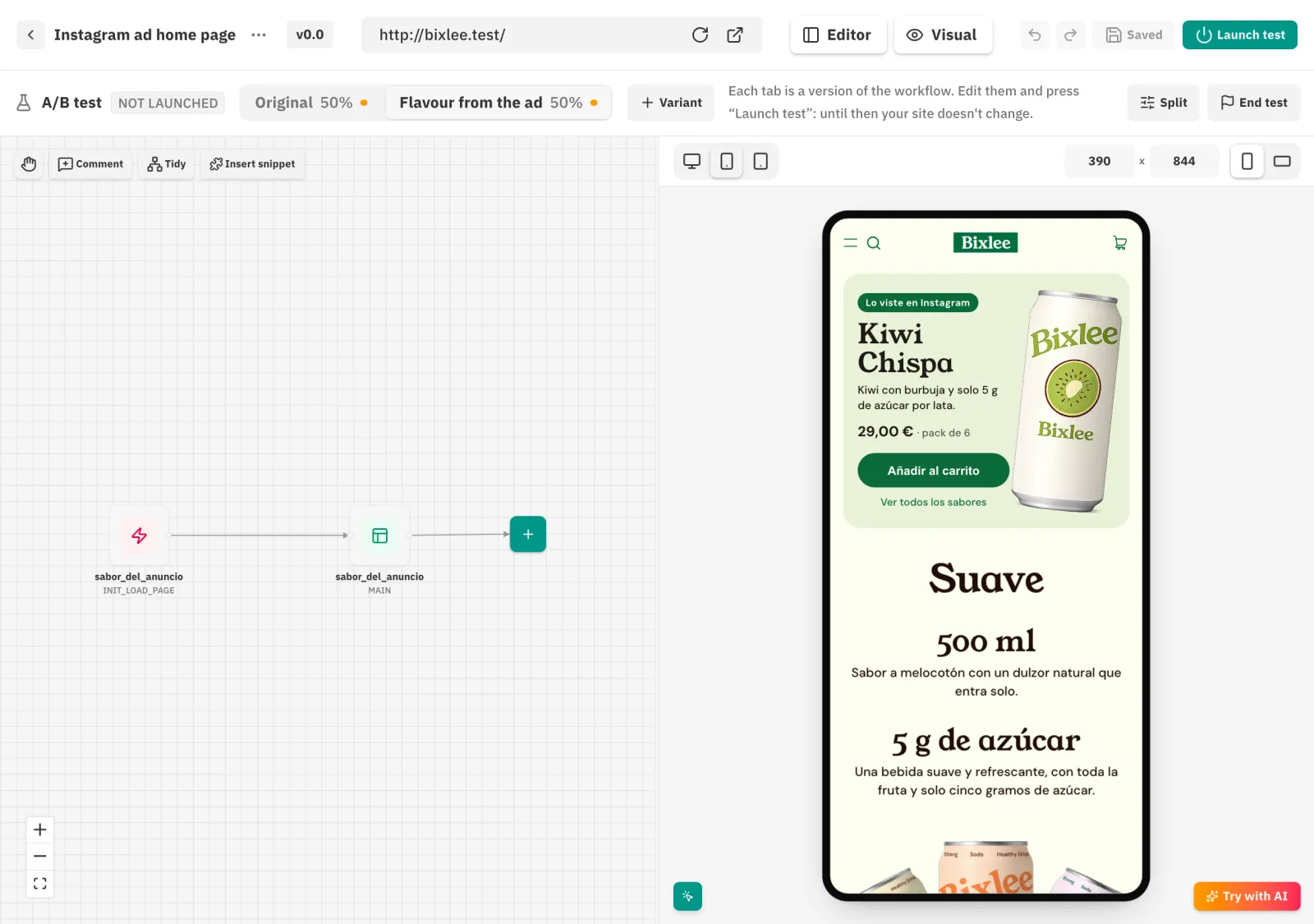
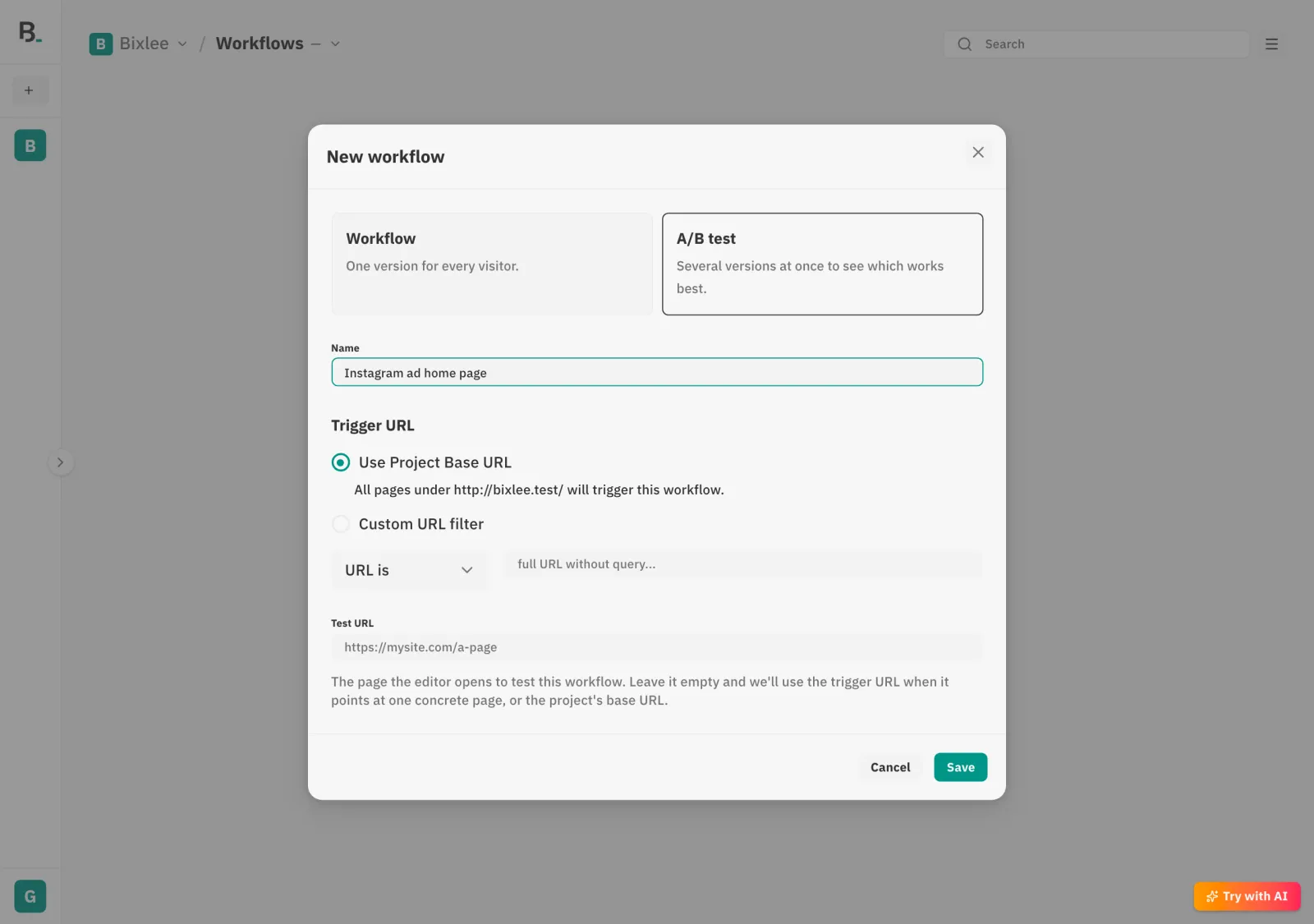
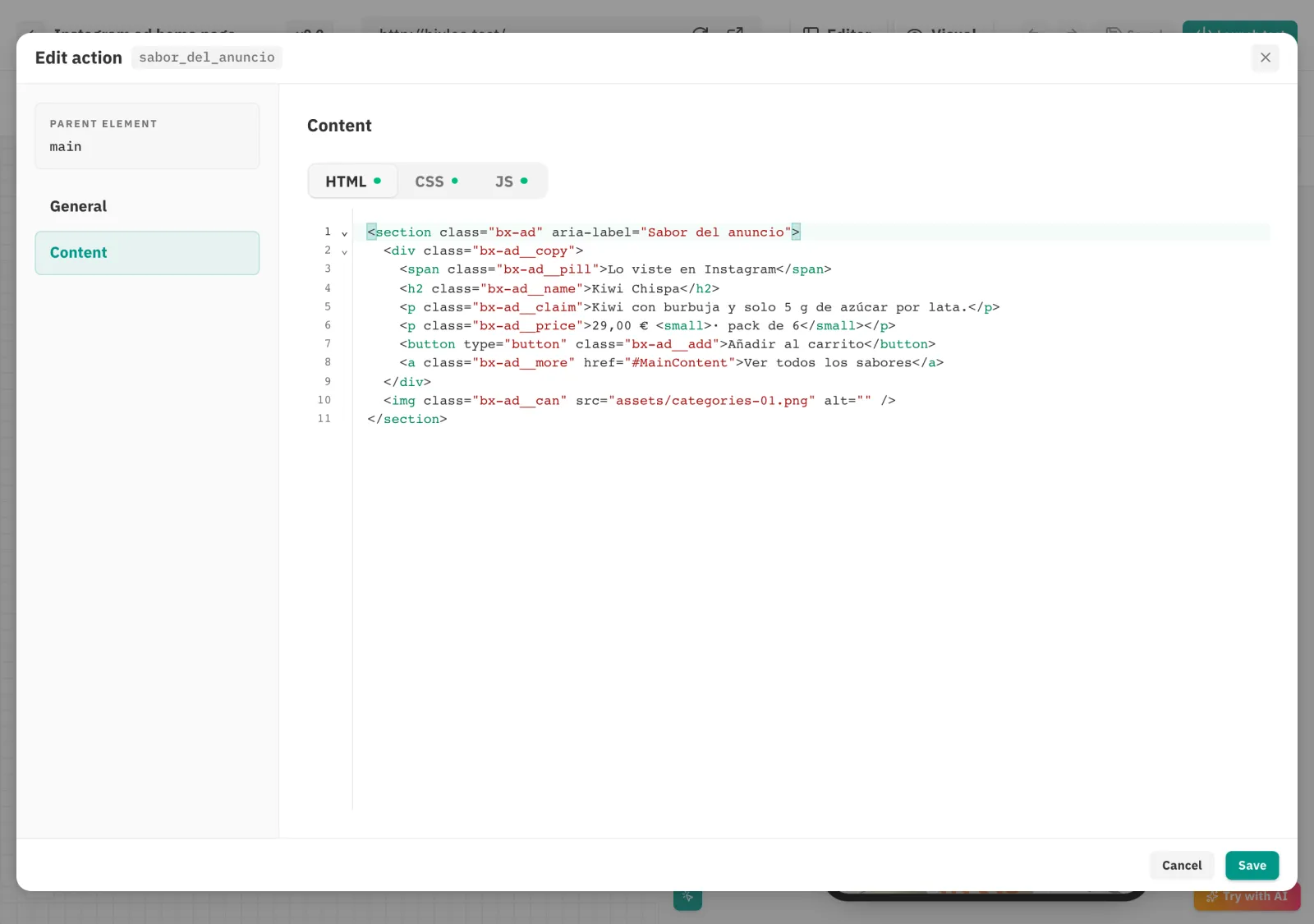
In Workflows we create “Instagram ad home page” and choose “A/B test”. The editor opens two tabs: Original, which stays as it is, and the variant, which we rename “Flavour from the ad”. In the variant we add an “on page start” trigger that runs an inject action: a block with the flavour's name, the can, the price and the button. Its code reads utm_content, hides the carousel and, on click, adds the store's real product to the cart.

  • The preview on the right is the live site with the draft applied, at phone size.
  • Each tab is its own draft: you can edit both without the site changing.
  • The same block serves every ad: the flavour changes with the link.
Workflow editor in A/B test mode, “Flavour from the ad” tab, with a trigger and an inject action, and the mobile preview of Bixlee showing the ad block.
The variant in the editor, with the mobile preview.
“New workflow” dialog with the “A/B test” option selected.
When you create the workflow you choose “A/B test”.
Inject action settings: parent element main and the block's HTML.
The inject action: HTML, CSS and JS.
STEP 05

Launch the test: until now your site hasn't changed

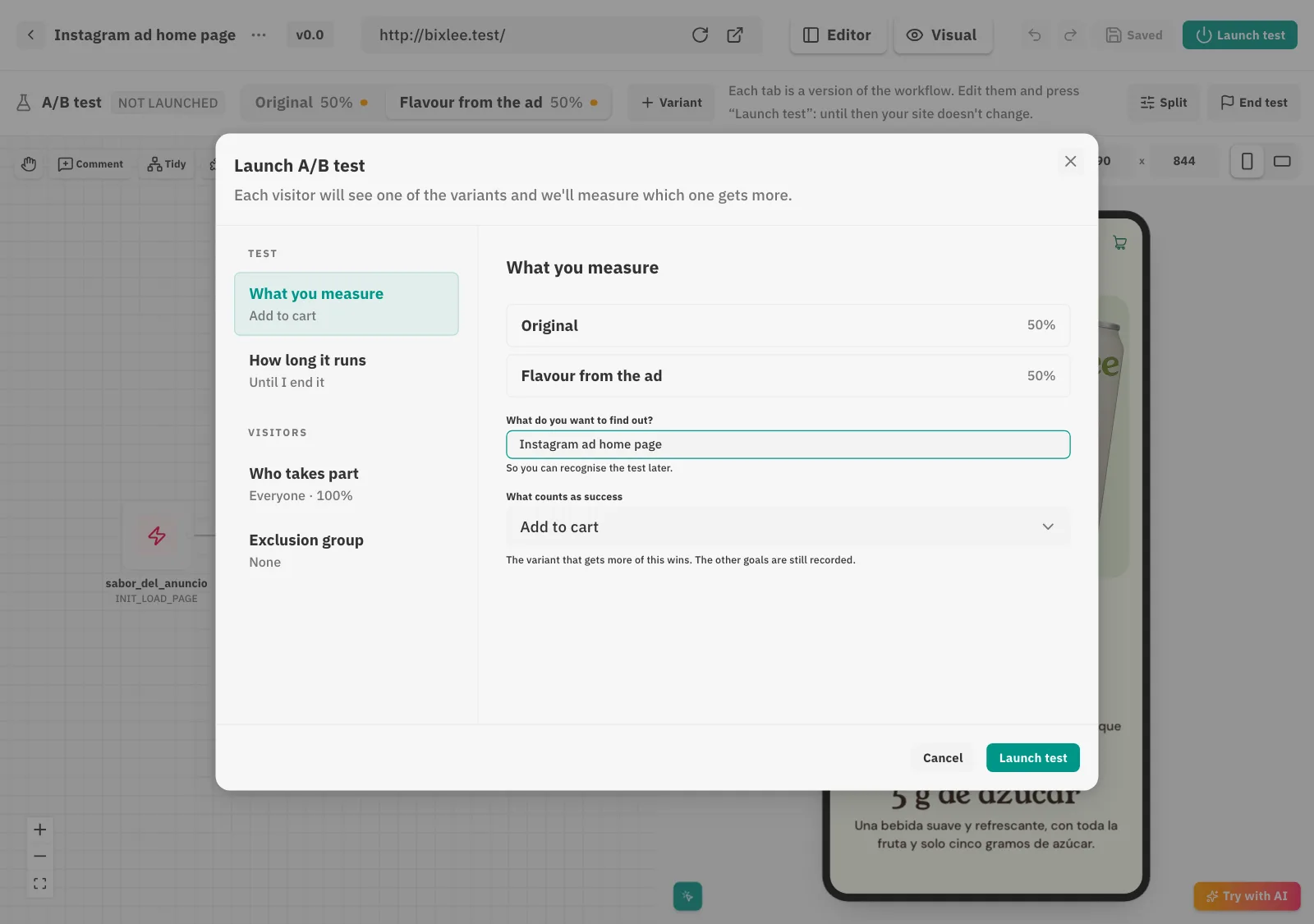
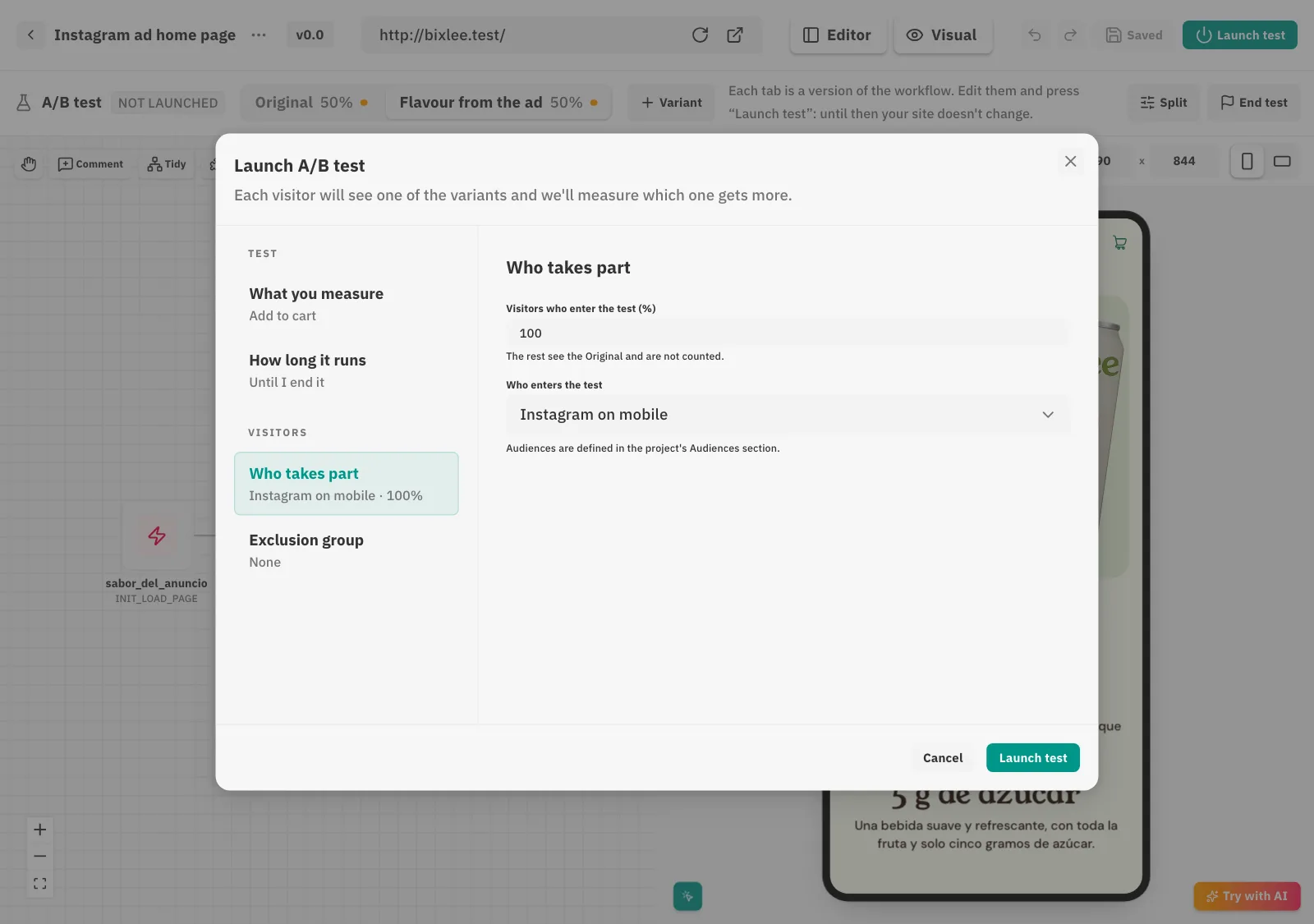
“Launch test” opens a summary with both variants and the split (50% and 50%). We give it a name, pick “Add to cart” as what counts as success and, in the “Who takes part” section, the “Instagram on mobile” audience. Once confirmed, the variant reaches the site.

  • The split happens in the visitor's browser and is remembered: whoever saw the variant keeps seeing it.
  • You can set how long it runs or leave it running until you end it.
  • If you change anything while the test is running, Bixlow warns you and measurement starts over.
“Launch A/B test” dialog, What you measure section: Original 50%, Flavour from the ad 50% and goal “Add to cart”.
Split and goal before launching.
“Launch A/B test” dialog, Who takes part section: 100% of the visitors in the “Instagram on mobile” audience.
The audience, in its own section.
STEP 06

Measure and decide with a verdict, not by eye

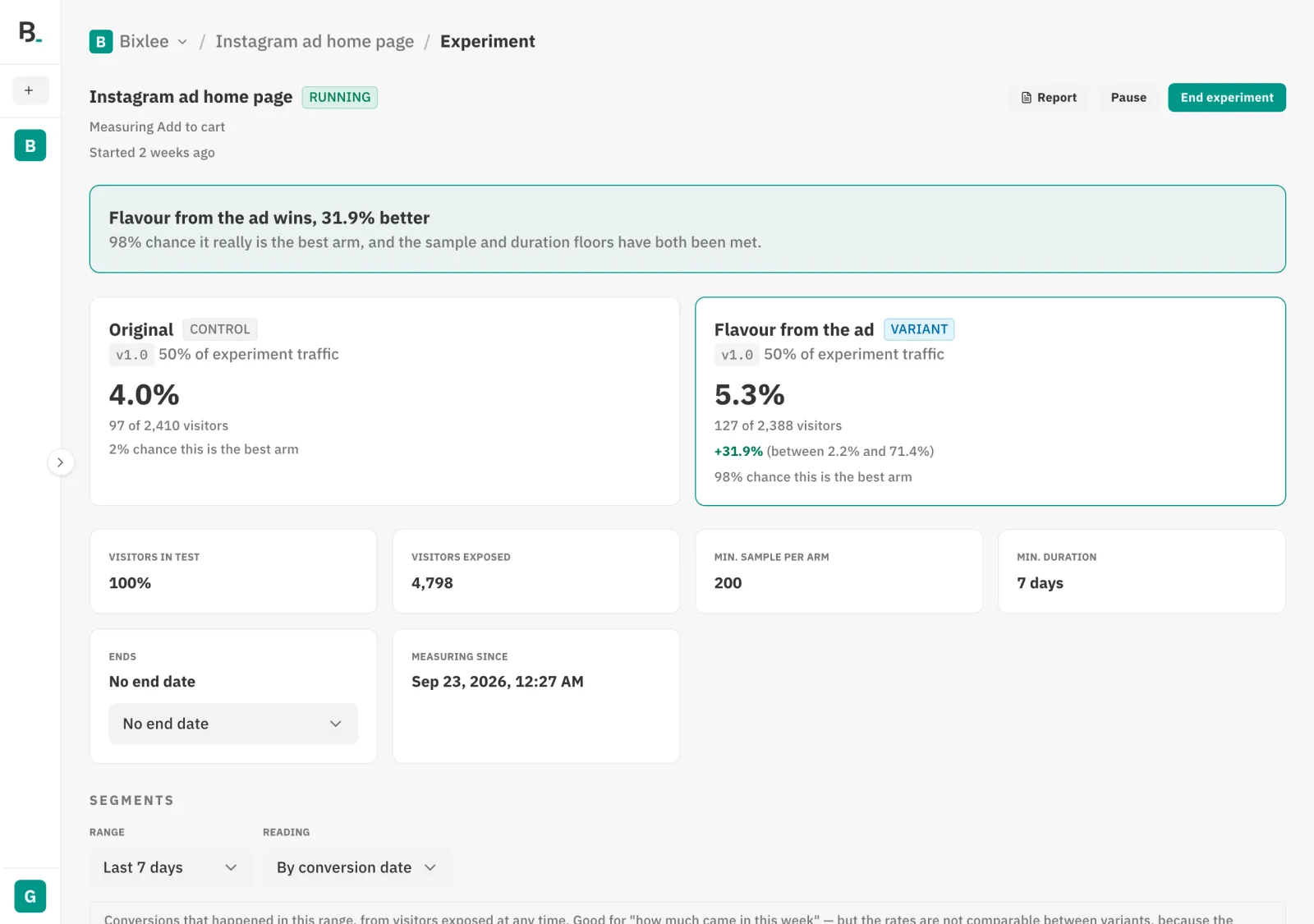
The experiment screen compares both variants over exposed visitors. In the example, the Original converts at 4.0% and “Flavour from the ad” at 5.3%, with a 98% probability of being the best. Bixlow only declares a winner once each variant has enough sample, the test has run for the minimum time and the probability is above 95%. Until then it says there is not enough evidence yet, and why.

  • Default minimums: 200 visitors per variant and 7 days.
  • If the actual split drifts from the planned one, it warns you before giving a result.
  • When you end the experiment you choose which version to keep; the winner becomes the one everyone sees.
Experiment screen: “Flavour from the ad wins”, Original 4.0% against 5.3%, 98% probability of being the best.
The verdict, with the sample and duration minimums met.
WHAT YOU BUILT

Four pieces you reuse in the next test

None of this stays locked in this experiment. The audience, the goal and what the hypothesis taught you feed the next idea, and the cycle starts again with more to go on.

A documented hypothesis
What you change, why and how you measure it, linked to the workflow that tests it.
An audience
“Instagram on mobile”, ready for another test or for personalizing without one.
A goal
“Add to cart”, measured across the site and available in analytics.
A result you can trust
A verdict with its minimums met, instead of two percentages compared by eye.
FAQ

What people usually ask after seeing it

Do I need to code?

No. The agent can build the variant from a sentence. The guide shows the code so you can see what gets injected into the site, but you don't have to write it.

Does it only work with Shopify?

No. Bixlow works on any site where you can add its script: Shopify, WordPress, a custom site or a web app. Bixlee uses a Shopify theme because it is a common case.

Is the data in the guide real?

The screens are real: they come from a Bixlow project on the demo store. The traffic in step 6 is simulated to show how a result is read.

What do visitors who don't come from Instagram see?

The usual home page. They don't match the audience, so they never enter the test or count in its results.

What if the Original wins?

That is a result too. You end the experiment keeping the Original, the site stays as it was and what you learned stays in the hypothesis for the next idea.

How long does the test need to run?

As long as it takes to meet the sample and duration minimums and reach the required probability. Bixlow tells you at every point what is still missing.

YOUR TURN

Run your first test on your own site

Install the script, describe the idea and Bixlow walks you through the same six steps.